OdooBots
Loading
Service · Odoo customization

Odoo Customization, built around how your business actually runs

Odoo covers most of what most businesses need. Customization is for the part it does not — the approval your industry requires, the report your auditor asks for, the field your customers quote back at you.

We configure first and write code only where configuration genuinely cannot reach, because every line of custom code is something you carry forward at every future version upgrade.
Karthik RajOdoo Technical Consultant, 10+ years| Reviewed by Arun Kumar| Updated 15 October 2026| Custom modules, OWL, QWeb, upgrade-safe
0Odoo projects delivered
0Consultants & developers
ZeroCore files patched
ChennaiAmbattur, Tamil Nadu
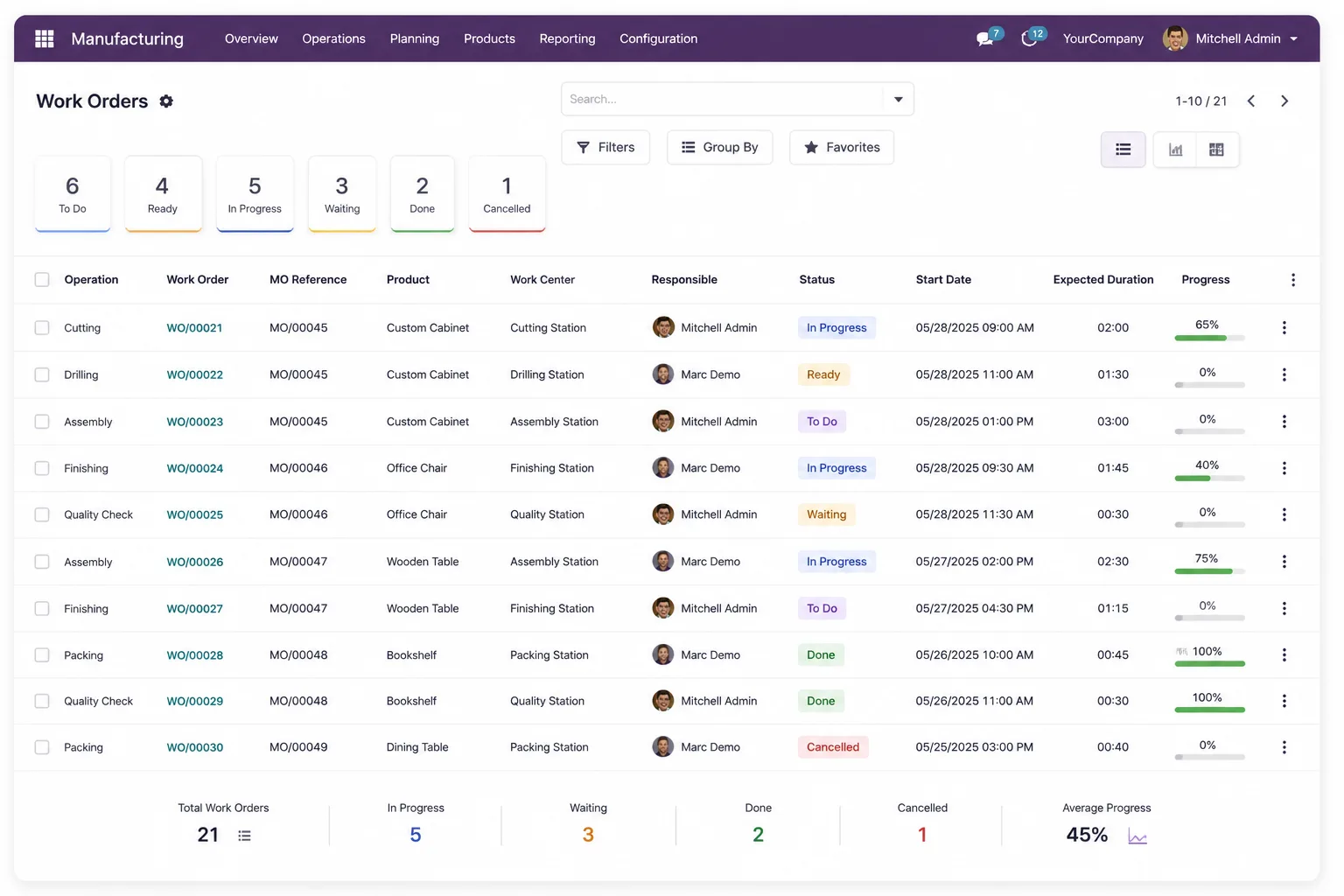
Odoo customization services — a custom Odoo work order list view in a browser
0
Zero core patchesupgrade-safe modules

Businesses whose Odoo we customised

Dhanalakshmi Industries logo Sanjeev Autoparts logo Electro Flux Equipments logo Anchor Marine Equipment Company logo NEXG logo PV Constructions logo SESS logo
Definition

What is Odoo customization?

Odoo customization is changing how Odoo behaves beyond what its settings allow, by writing code in a separate custom module. It covers new models and fields, modified views, custom reports, automated actions, approval workflows and business logic. It is distinct from configuration, which changes behaviour through the interface and costs nothing to maintain.

The test we apply: if a setting, an automated action or a studio-style view change can do it, that is configuration and it should not be billed as development.

Configuration
Settings, pricelists, approval limits, report filters, access rights. No code, nothing to maintain at upgrade.
Customization
Code in your own module: new fields, new logic, new reports, new screens.
Core patching
Editing Odoo’s own source. We never do this — it breaks at every update and makes upgrades expensive.
Upgrade cost
Every custom module has to be reviewed and tested at each major version. Less code means a cheaper year two.
What we build

How can we help you?

The four kinds of customization businesses actually ask for, and what each one really involves.

Custom modules

New models, fields and screens for a process Odoo does not model — a licence register, a rental cycle, a job card, an industry-specific compliance record. Built as its own installable module you own.

ModelsFieldsViewsSecurity rules

Workflow & approvals

Multi-level approval by amount, by department or by margin; status transitions that reflect your real sign-off chain; automated actions that fire without anyone remembering to click.

Approval levelsAutomated actionsStages

Reports & dashboards

QWeb print layouts that match your letterhead and your statutory format, plus list, pivot and graph views your managers will actually open instead of exporting to Excel.

QWeb PDFPivotDashboards

Integrations

Where customization meets another system: pushing to a portal, pulling from a marketplace, posting to a gateway. See Odoo integration services.

APIsWebhooksQueue jobs
Expertise · how we build

Eight rules we apply to every Odoo customization

These are the practices — and the configuration decisions behind them — that decide whether your customisations are an asset in three years or the reason you cannot upgrade.

  1. Never patch core

    All changes live in your own module and use Odoo’s inheritance mechanisms. Patching Odoo’s source gives you a system that cannot be updated safely.

  2. Configuration is tried first, in writing

    Every requirement gets a line saying whether it is config or code, and why. You see that before you approve the quote.

  3. One module per concern

    Separate modules for separate features, so a later version upgrade can carry some forward and retire others instead of being all-or-nothing.

  4. Inheritance, not replacement

    Extending views and methods rather than overriding them wholesale means Odoo’s own updates still apply underneath your change.

  5. Your code is in your repository

    Source goes into version control you can access. If you stop working with us you keep everything, with history.

  6. Security rules written explicitly

    Every new model gets access rights and record rules defined deliberately, not copied from an example. This is where data leaks between companies and users come from.

  7. Tested on a copy of your data

    Not on demo data. Real volumes and real edge cases, because that is where custom logic falls over.

  8. Documented for the next developer

    A README, the business reason, and the upgrade notes. The next person to touch it may not be us, and that is fine.

Trust · honest advice

When you should not customise Odoo

Four cases where we talk businesses out of development. Each one has cost somebody money before.

You are recreating your old system

The most expensive customization is the one that makes Odoo behave like the software you are replacing. Usually the process should change, not the ERP.

The requirement is one person’s preference

If one user wants a different screen layout and nobody else cares, that is a training question, not a development project.

A standard app already does it

We check the Odoo apps store and the standard modules first. Buying an existing app is usually cheaper than building, even when the app is not perfect.

You are about to upgrade versions

Building against an old version weeks before an upgrade means paying for the same work twice. Sequence the upgrade first.

Trust · what it costs

What Odoo customization costs

Customization is quoted per requirement after a scoping call, never as open-ended hours. These are the factors that move the number.

  • Config or codeThe first question we answer. Anything configurable is cheap and carries no upgrade cost.
  • New model or existingAdding fields and logic to an existing model is far cheaper than building a new object with its own screens, security and reports.
  • Reports and print layoutsA QWeb layout matching a statutory format takes longer than people expect, because the format is not negotiable.
  • Number of integration pointsCustomisation that has to talk to another system inherits that system’s reliability problems.
  • Data volume at runtimeLogic that runs on every stock move needs to be written differently from logic that runs once a month.
  • Upgrade commitmentIf you want the module carried forward at every version, we say so in the quote rather than surprising you later.
Why us

Why choose OdooBots for Odoo customization

Our customization work is led by consultants who have carried modules through multiple Odoo version upgrades. That experience is why we argue for configuration first — we are the ones who have had to migrate the code.

Based inAmbattur, ChennaiTamil Nadu 600053, India
Phone+91 98414 81435Mon–Sat, business hours IST
Led byKarthik RajOdoo Technical Consultant, 10+ years
Versions supportedOdoo 16 – 19Community and Enterprise
FAQ

Odoo customization: frequently asked questions

What is the difference between Odoo configuration and customization?
Configuration changes behaviour through Odoo’s own settings — pricelists, approval limits, access rights, report filters, automated actions. Customization writes code in a separate module to do something settings cannot. Configuration costs nothing to maintain; every piece of customization has to be reviewed at each version upgrade.
Will customization break when we upgrade Odoo?
Not if it is built correctly. Code that lives in its own module and uses inheritance generally carries forward with testing and small fixes. Code that patches Odoo’s own source breaks at every update. We never do the second kind, and when we take over someone else’s customisations we tell you which kind you have.
Who owns the custom code you write for us?
You do. Source goes into a repository you can access, with history. If you stop working with us, you keep the modules and anyone else can maintain them.
Can you work on custom modules another company wrote?
Yes. We start by reading them and telling you honestly what state they are in — whether they patch core, whether they have security rules, whether they will survive an upgrade. Sometimes the right advice is to rewrite rather than extend.
Can Odoo be customised without coding?
A great deal can: automated actions, server actions, view changes through developer mode, custom filters and dashboards, and Studio on Enterprise. We use those first. Coding starts where those stop.
How long does an Odoo customization take?
A new field with logic is days. A new module with its own screens, security, reports and tests is weeks. You get a written estimate per requirement after the scoping call, not an hourly rate.
Should we buy an app from the Odoo store instead?
Often, yes. We check the store before quoting. A reasonable existing app is usually cheaper than a perfect custom one — though you should know that third-party apps also need maintaining at each upgrade, and their author controls that.
References

Sources and official documentation

Development practices described here follow Odoo’s own developer documentation.

Tell us where Odoo does not fit yet

A free scoping call tells you which of your requirements are configuration, which need code, and what the code will cost — before anyone starts building.