
Reconciliation differences
Investigate unmatched bank transactions, incorrect payment matching, and custom reconciliation logic. See why Odoo 19 matches the wrong invoice or bill.
Bank linesMatching
Incorrect reconciliation, complex journal entry rules, or accounting workflows that do not match your financial processes?
Journal entries, bank reconciliation, tax rules, analytic accounting, financial reports and accounting integrations — customised against your existing Odoo setup, with the posted entries left intact.

Finance teams running on Odoo







An Odoo accounting developer customizes journal entries, reconciliation, tax workflows, analytic accounting, financial reports and accounting integrations. Standard Odoo accounting configuration supports many financial workflows; development is the step after it, for the rules configuration cannot express — and it has to reach that answer without compromising journal entry integrity or financial data consistency.
If your requirement involves configuring existing journals, taxes, payment methods or standard accounting settings, custom development may not be necessary. First identify whether the limitation comes from configuration, localization or custom code — see Odoo Accounting for what configuration alone covers.

Standard Odoo accounting configuration supports many financial workflows. Additional development may be necessary when existing functionality cannot handle specific accounting rules or operational requirements.
Investigate unmatched bank transactions, incorrect payment matching, and custom reconciliation logic. See why Odoo 19 matches the wrong invoice or bill.
Extend posting conditions, approval workflows, and journal entry validations when the required control does not exist in the standard posting flow.
Customize tax mapping, calculation logic, and fiscal position workflows when standard settings are insufficient for the rule your business has to apply.
Extend intercompany transactions, company-specific validations, and consolidated reporting workflows across legal entities.
Customize analytic plans, distribution rules, and cost allocation based on departmental or project requirements.
Develop additional financial reports when standard reports do not provide the required accounting breakdowns. See why Odoo posts to the wrong account.

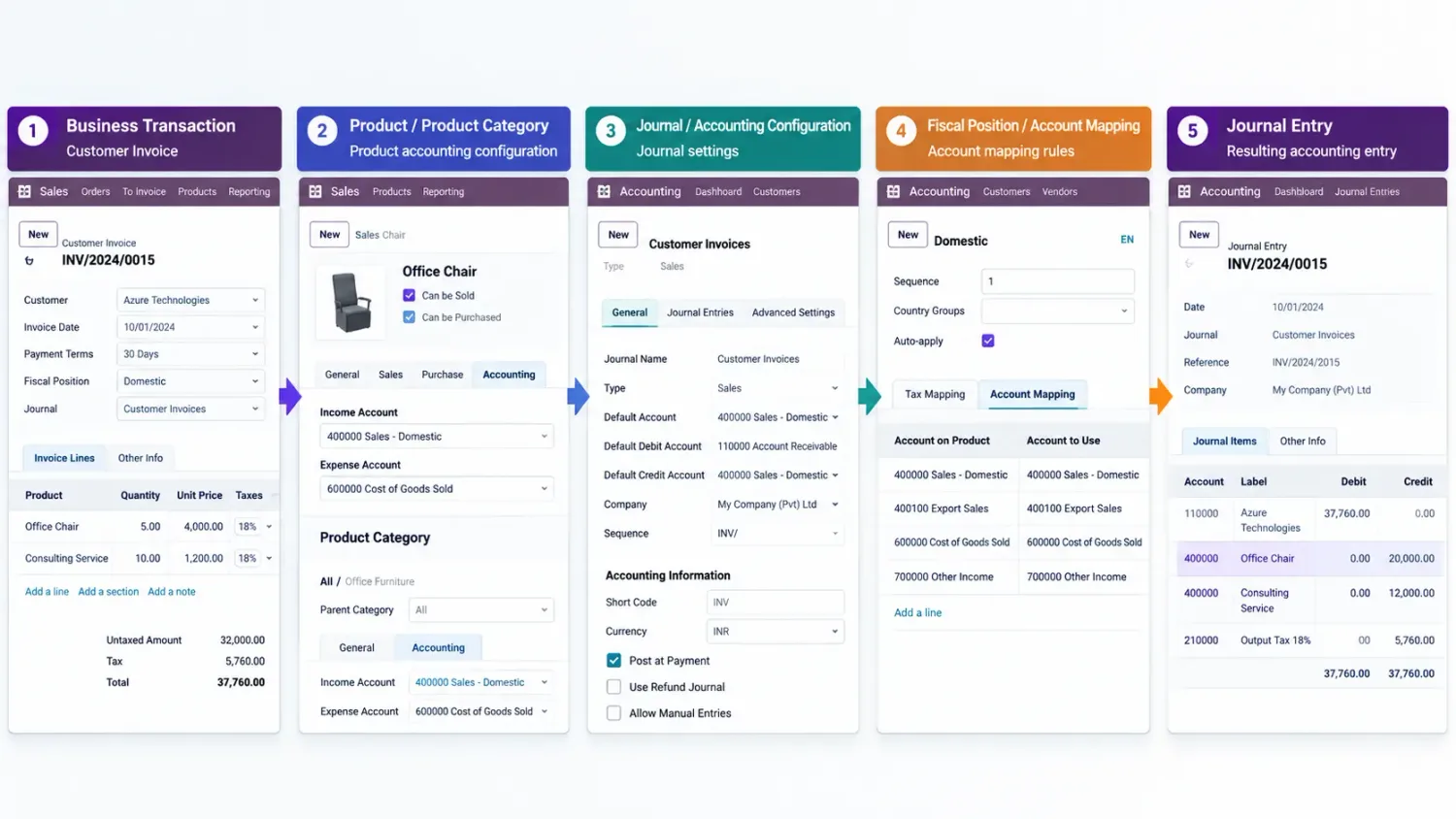
Customize accounting entry workflows to support specific financial controls and posting requirements: additional journal entry validation rules, custom debit and credit restrictions, approval workflows before posting, automated journal entry generation, and custom handling of recurring accounting entries.
Custom logic must preserve balanced journal entries and the integrity of posted accounting records. That constraint is not negotiable, and it is the reason a posting rule is quoted as development rather than configuration.
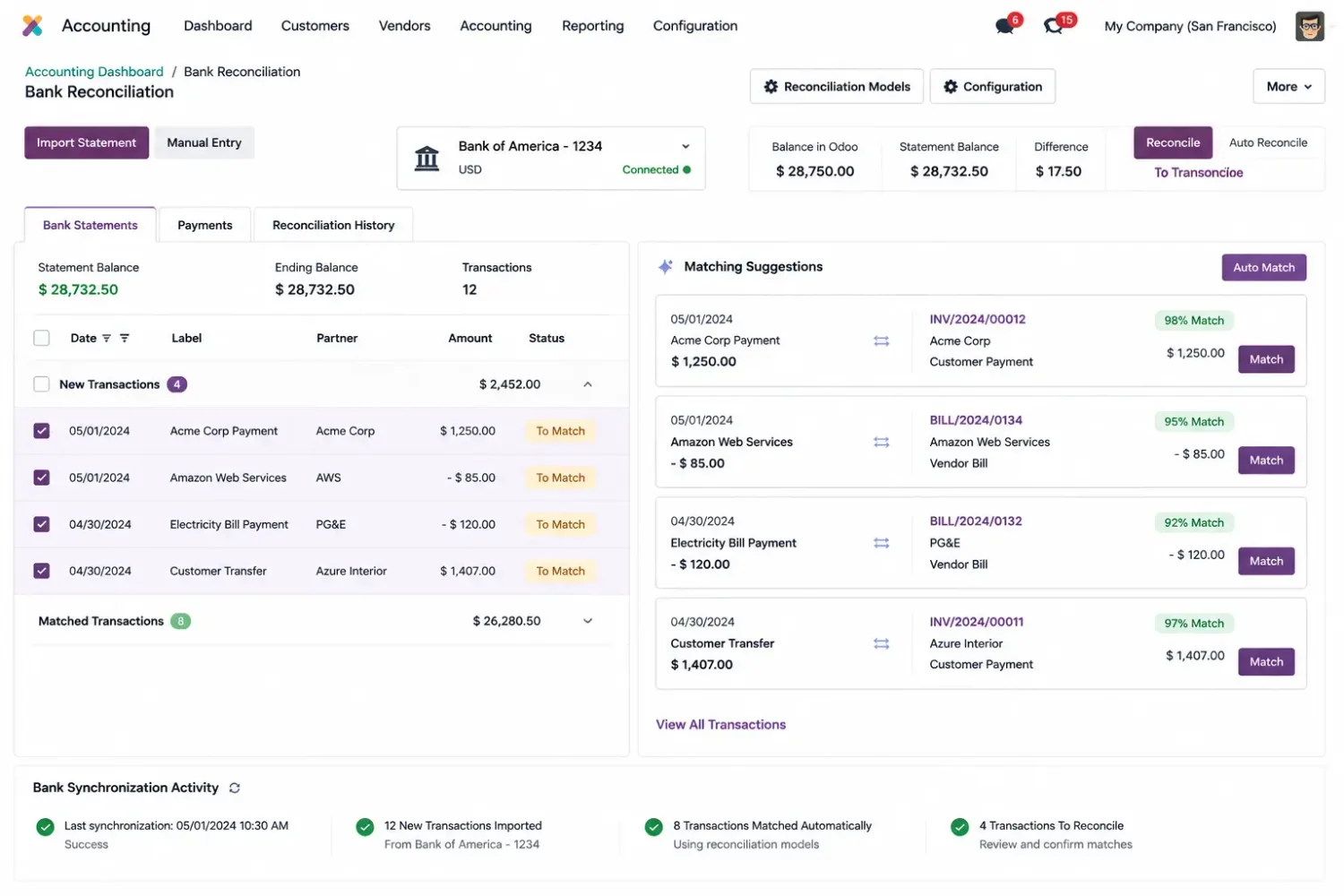
Extend bank reconciliation workflows to handle business-specific transaction matching requirements: custom transaction matching conditions, automated payment matching rules, bank statement import customization, reconciliation exception handling, and payment and outstanding account workflow adjustments.
Reconciliation logic should account for transaction references, payment status, amounts, and existing accounting entries. Most reconciliation complaints resolve into one of those four, and finding which one is the first hour of the work.
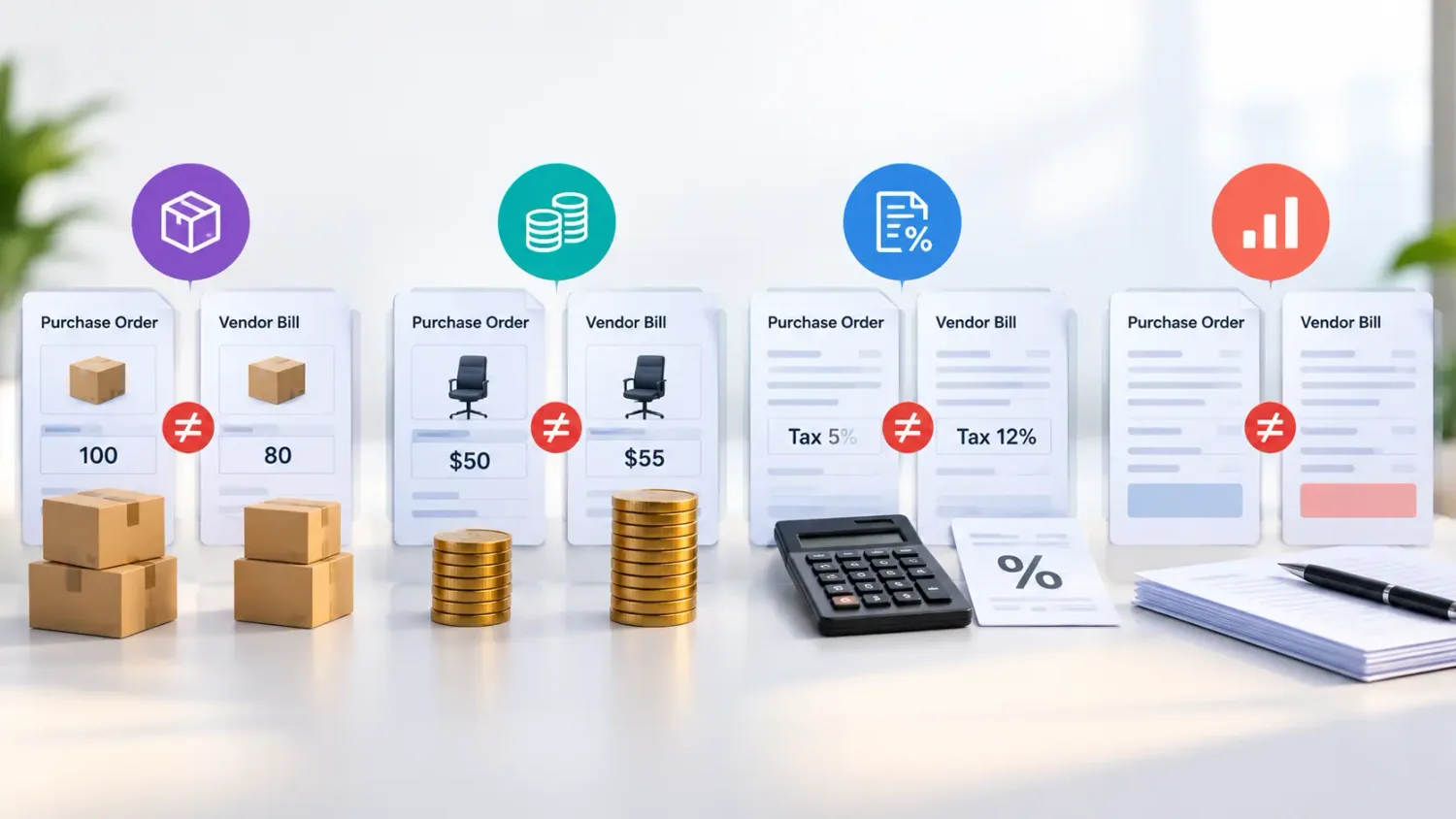
Customize tax-related workflows when existing tax configuration cannot support the required business logic: additional tax calculation conditions, custom tax mapping and fiscal position rules, tax application based on product or customer conditions, tax reporting adjustments, and integration with external tax systems where required.
Tax customizations should be reviewed against applicable local tax regulations by qualified accounting professionals. We build the rule you specify; confirming it against the law is your accountant’s call, not a developer’s.
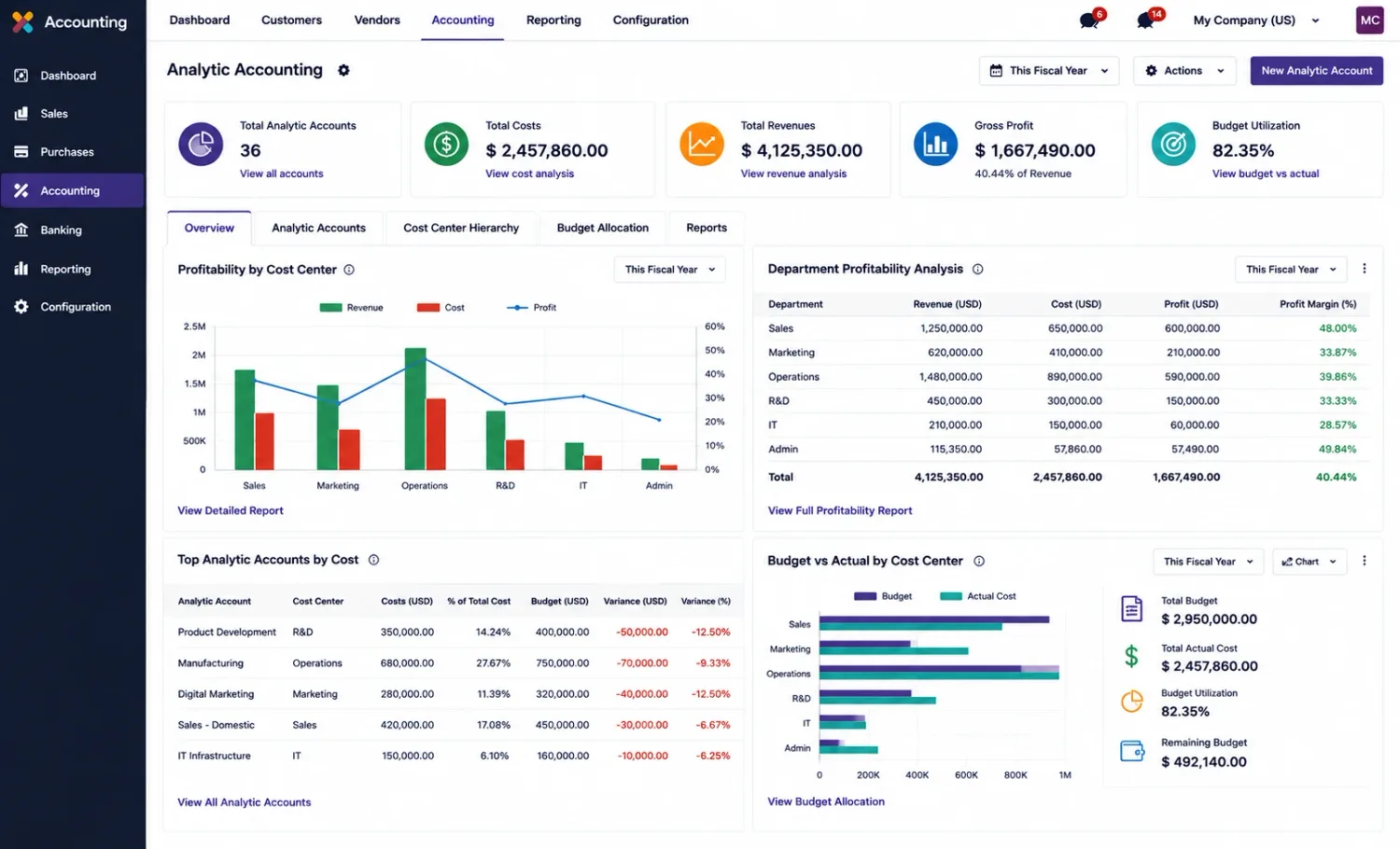
Extend analytic accounting to support more detailed financial tracking across departments, projects and business units: custom analytic distribution rules, department-wise cost allocation, project-based expense tracking, additional analytic validation conditions, and custom analytic reports.
These developments can help finance teams apply business-specific cost allocation rules within Odoo, without touching the general ledger those rules sit alongside.
Customize accounting workflows for businesses operating across multiple legal entities: intercompany transaction automation, company-specific journal entry validations, custom intercompany reconciliation workflows, multi-company reporting adjustments, and currency conversion and transaction handling.
The implementation should respect company access rights, currency settings, and accounting configurations. A multi-company rule that ignores access rights is a data leak between entities, so that is tested before anything else.

Extend financial reporting and connect Odoo accounting with external financial systems: custom profit and loss reports, balance sheet and general ledger report extensions, custom tax and financial summaries, payment gateway and banking integrations, external accounting system synchronization, and API-based financial data exchange.
Integrations should include data validation, access controls, error handling, and duplicate transaction prevention. Duplicate prevention is the one most often left out, and it is the one that costs a reconciliation cycle to undo. See Odoo integration for how those connections are built and retried.
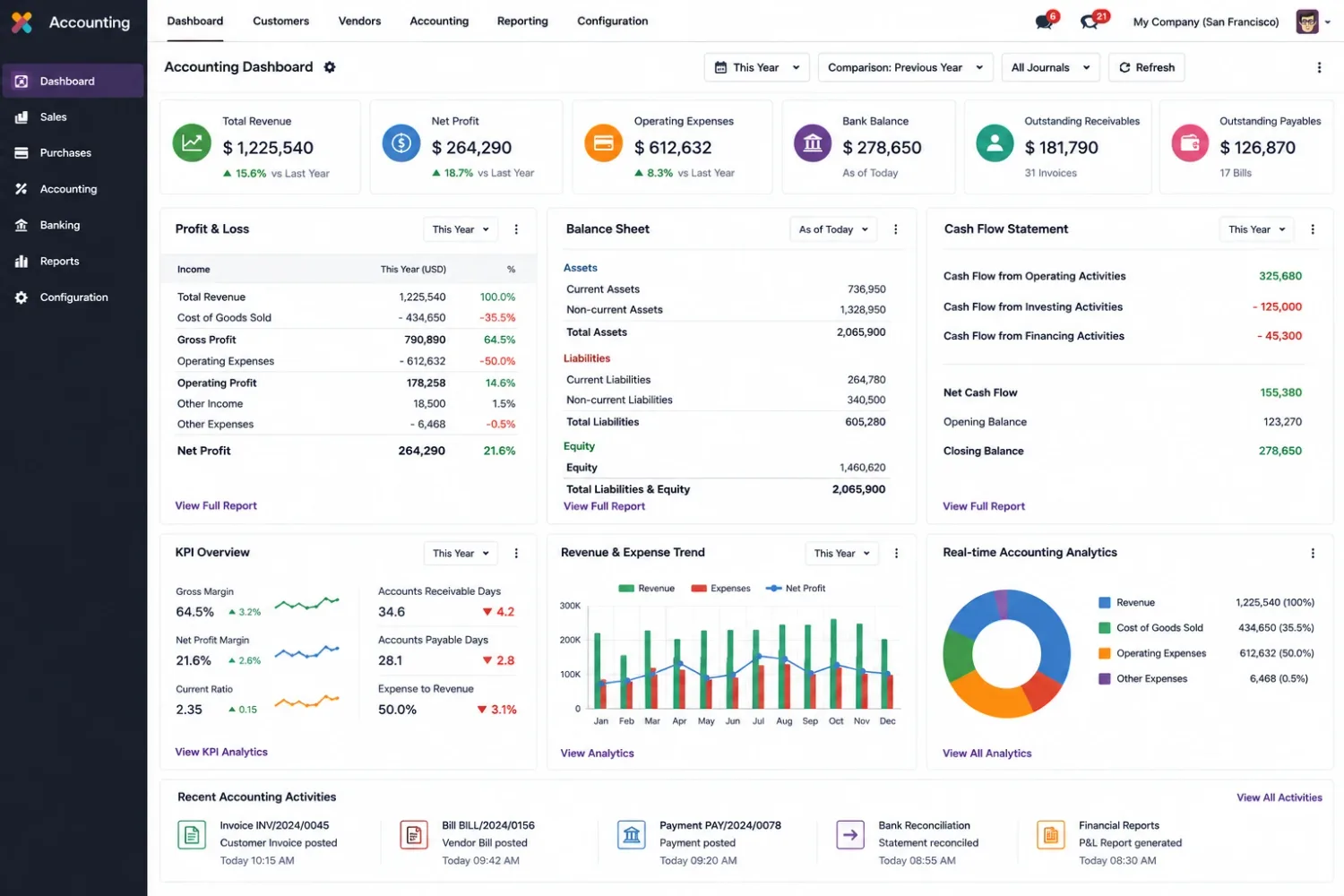
An Odoo accounting developer needs more than general Python knowledge. They should understand how accounting records, financial transactions and business rules work within Odoo.
Model inheritance, recordsets, computed fields, constraints, and accounting business methods.
Practical knowledge of journal entries, journal items, accounts, taxes, payments and reconciliation records.
Understanding of posting, payment registration, bank reconciliation, outstanding accounts and reversal workflows.
Module structure, model extensions, views, access rights, dependencies and maintainable code. See Odoo customization.
Authentication, transaction mapping, data synchronization, error handling and duplicate prevention.
Testing journal entries, debit-credit balancing, reconciliation results, access permissions and financial reports.
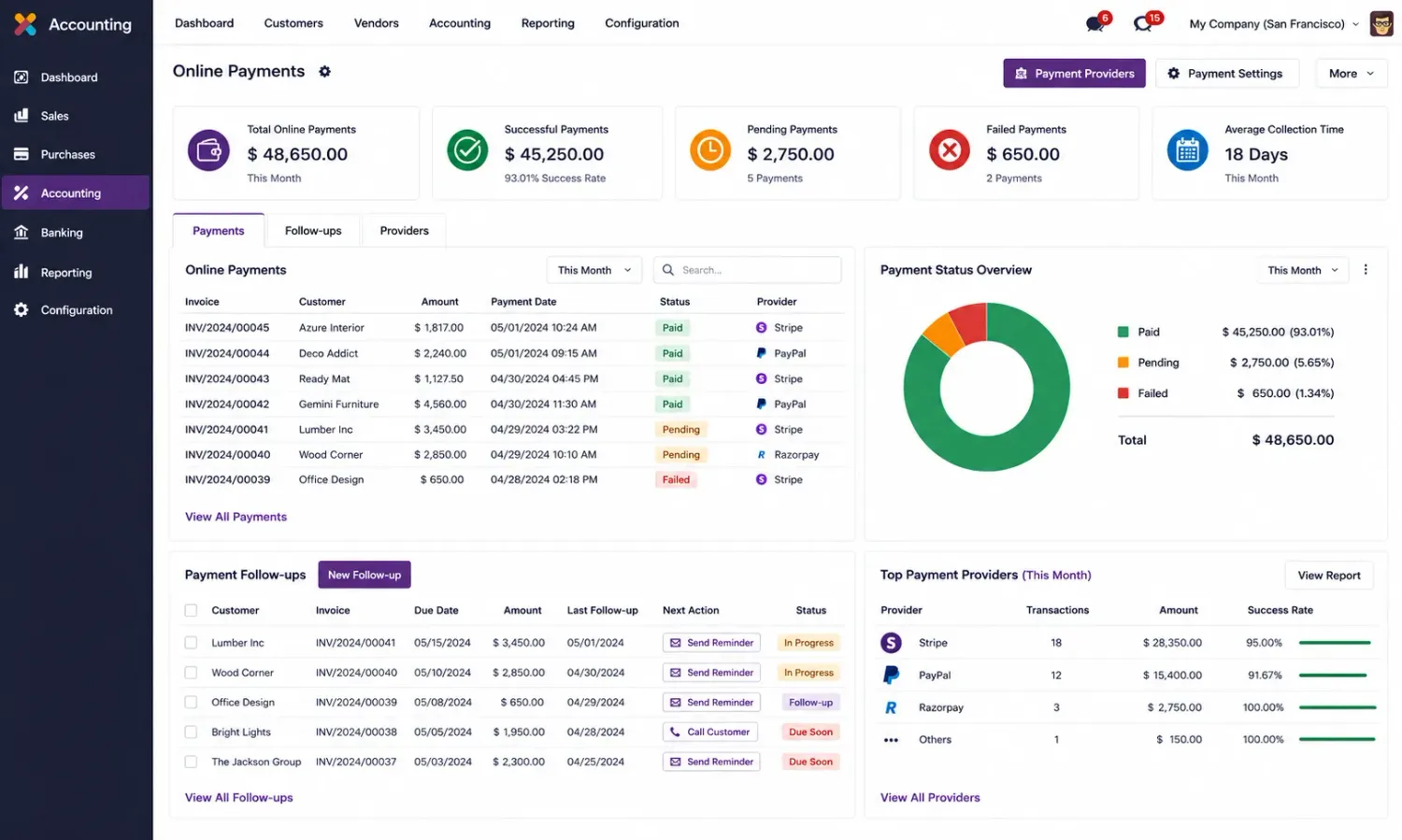
A developer should also understand the impact of custom code on posted entries, reconciliation status, tax calculations and audit trails. Consider hiring one when:
Your accounting approval process requires validation rules beyond what standard configuration can express.
Bank transactions need custom matching conditions or reconciliation automation your statement format does not support out of the box.
Tax calculations require additional conditions that fiscal positions and tax settings cannot reach.
Transactions between legal entities need customized processing, mirroring or validation.
Analytic distributions require allocation rules that standard configuration cannot support.
Financial reports need additional calculations, data fields or reporting structures.
Earlier accounting customizations cause posting errors, reconciliation problems or upgrade compatibility issues. See hiring for an existing Odoo system.

These details help a developer understand your accounting environment, identify the technical gap, and estimate the required development work.
Version, Community or Enterprise edition, hosting arrangement, and installed accounting applications.
Country, fiscal localization, chart of accounts, and applicable tax configuration.
The affected process — journal posting, reconciliation, payments or financial reporting.
The required calculations, approval conditions, posting rules and exception scenarios.
Details of custom accounting modules and connected financial applications.
How your team will verify journal entries, balances, reconciliation results and reports.
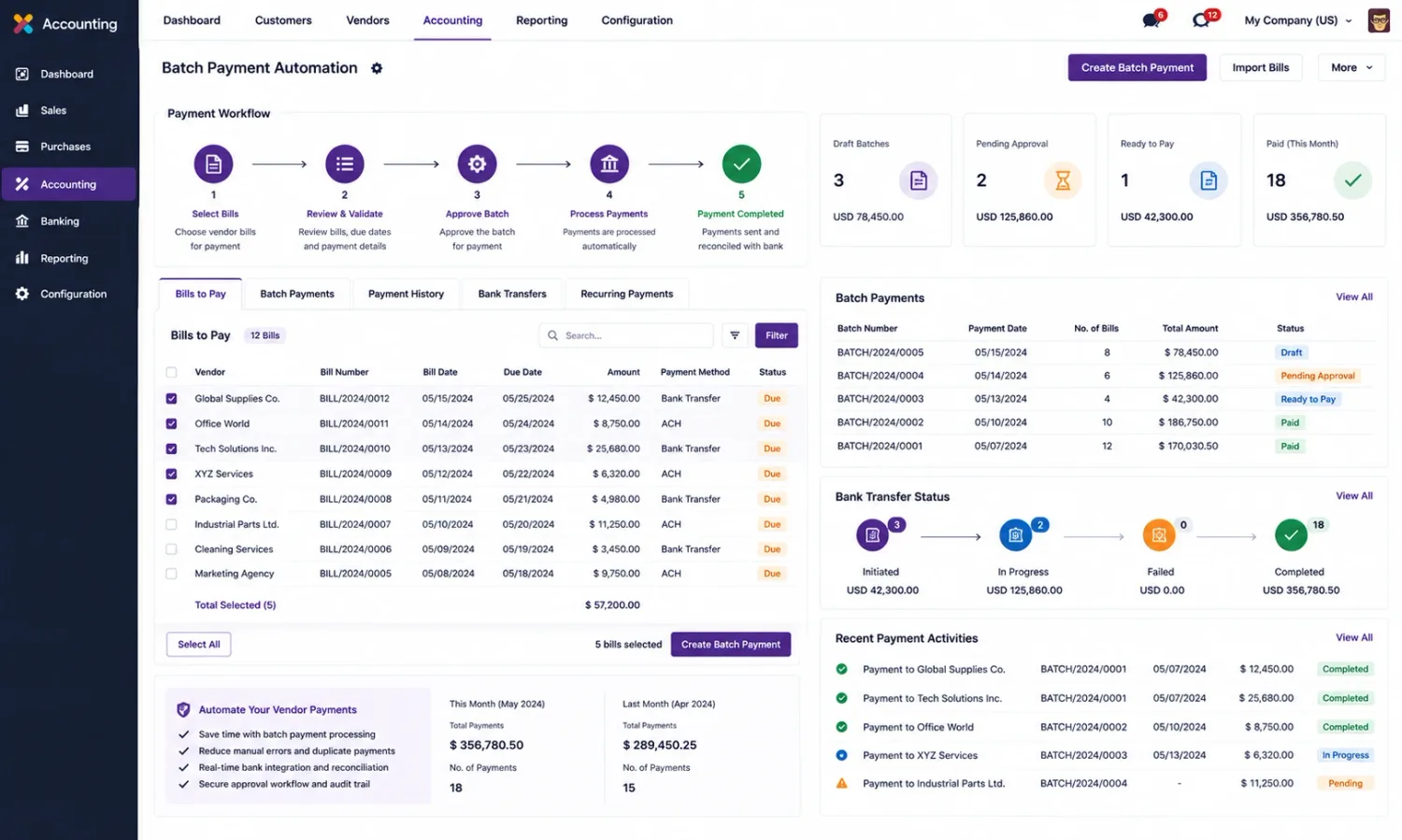
For requirements beyond accounting code, and the pages this one depends on.
Hiring models, what code ownership means, and how to judge an Odoo developer.
What configuration alone covers: invoicing, vendor bills, bank sync, GST and reporting.
Storefront, checkout and payment work, and the orders accounting then has to post.
Customer and vendor portals, including what a portal user may see of their own invoices.
Custom modules built to survive version upgrades, quoted separately.
The named people who would do the work, with the Odoo areas each one covers.
The Odoo behaviour this page describes, in Odoo’s own documentation.
Need custom journal entry logic, automated reconciliation, tax workflow extensions or financial reporting customization? Share your Odoo version, accounting requirements and current technical challenges so we can tell you whether this is configuration or code — and the diagnosis call is free.